
Actually means, the printer is looking for American letter sized paper to finish the job sent to it. PC actually means Paper Cassette (the tray the paper sits in), LOAD obviously mean the tray, with American letter sized A4 paper.
I Have People Skills
Mira Realm Thermostatic Mixer Temp Change
Struggled to find any video info online.
Here’s the manual:
ViewSonic VG3419C – On-Screen Display (OSD) Menu
To get it to display you need a signal to a PC or laptop, which is really stupid. It should work without a connection but I’ve had it fail to appear until I had a HDMI connection to a laptop.
80s Magic Shop in Northfields
While at Gunnersbury Boys school in the late 80s in Boston Manor, we’d go into Northfields after school, or I would. Would visit the small magic shop and I’ve been thinking about it over the years.
I watch a lot of Michael Vincent who’s a master at slight of hand
https://www.youtube.com/@MichaelVincentMagic
He’d talk about Alan Alan’s old magic shop and searching for images fine this
https://en.wikipedia.org/wiki/Alan_Alan
The inside of the story just gave me images of the Northfields one but I just couldn’t find any images. Someone on Reddit knew it and found some. Unfortunately due to the new stupid ID verification law in the UK (that doesn’t work), imgur is blocked, so I grabbed them off them and have stuck them here.
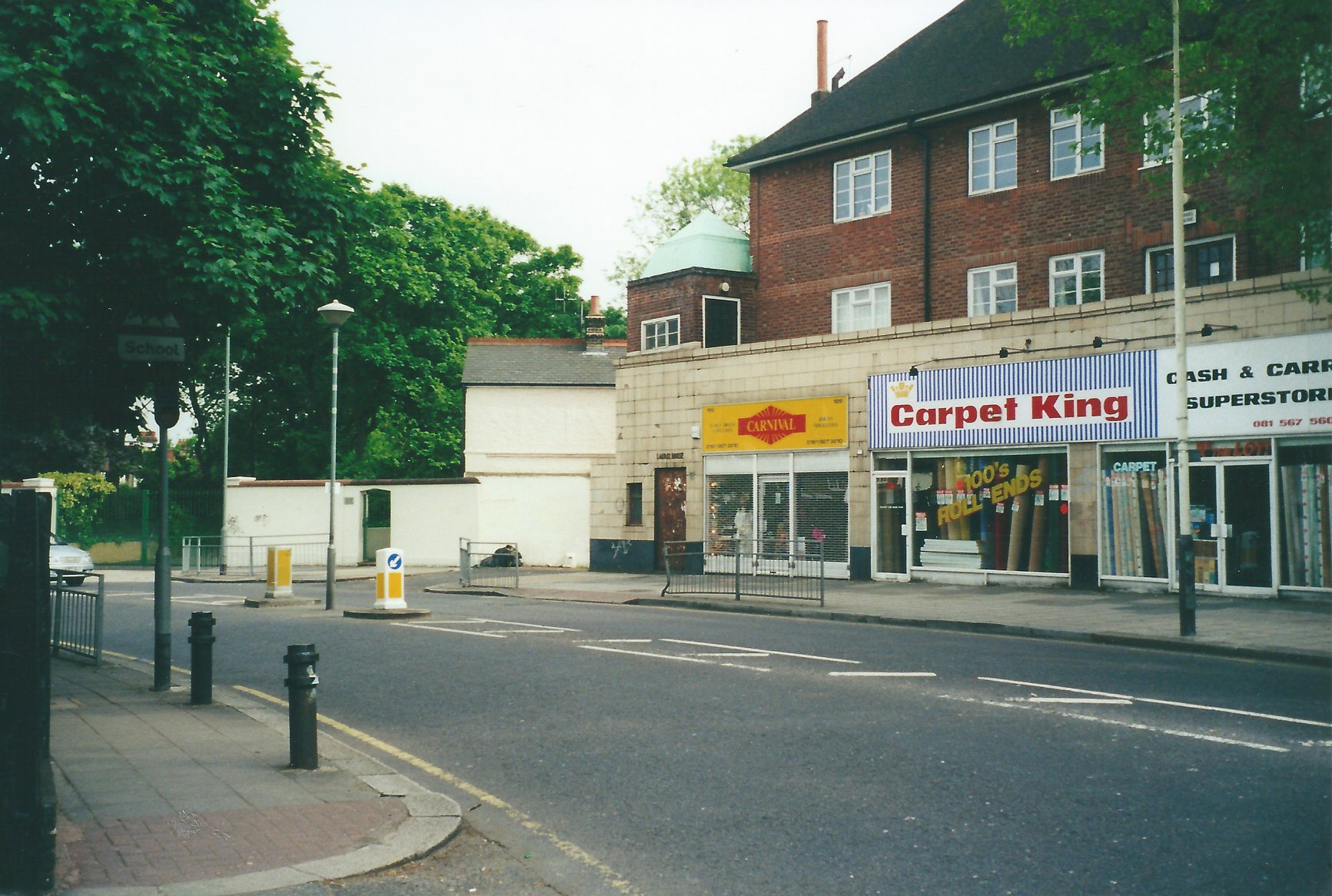
First image is what the store front changed to (before it shutdown long ago). What I was remembering was the store front of the second image.
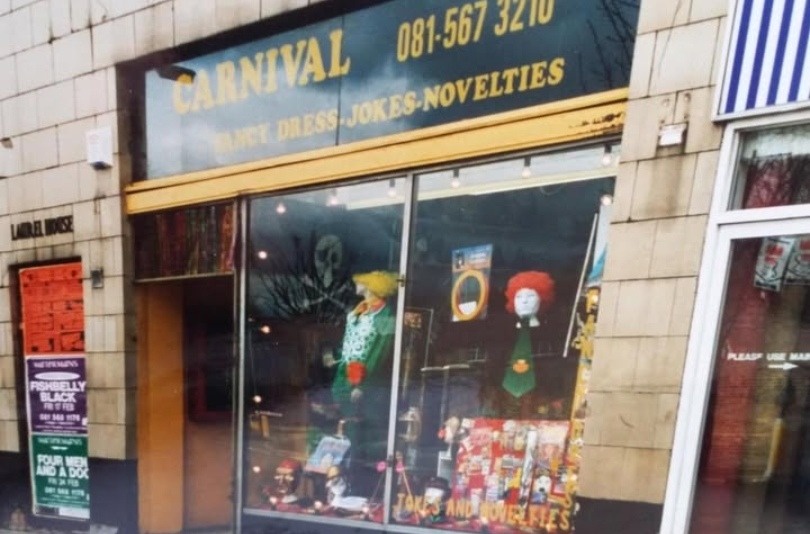
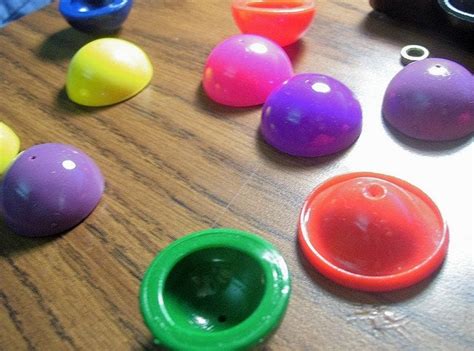
That 2nd one is the store front I remember from the 80s. I believe its also where I bought my original stripper deck cards (cards that are slightly tapered one end). Its also where we’d pick up the poppers that were popular end of the 80s.
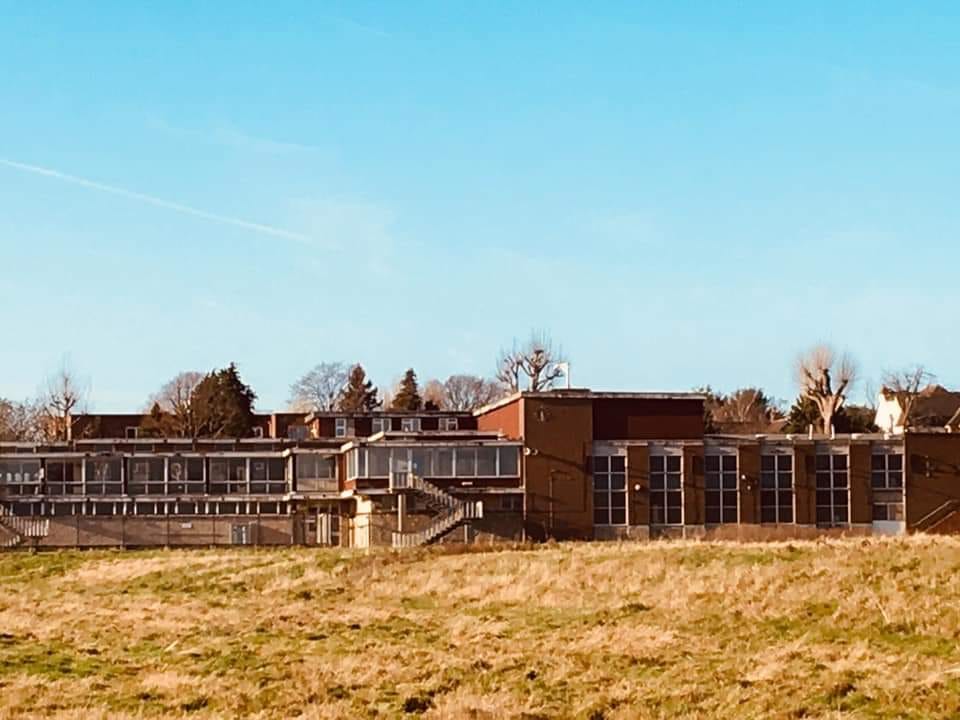
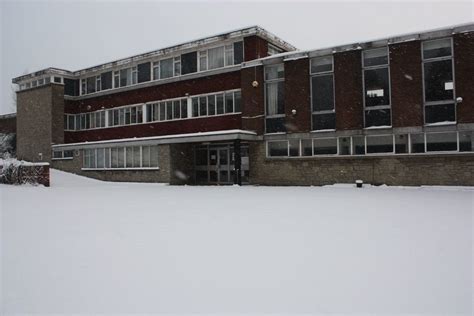
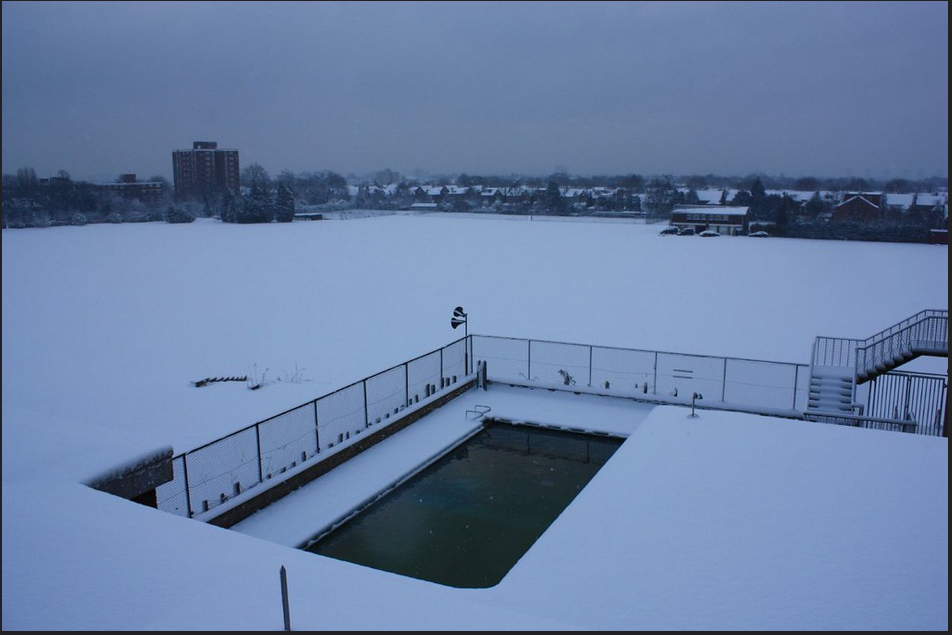
Barclays Sports Ground – Ealing – Park View Road
Had a vague memory of this but couldn’t remember where it was. Asked my sisters who suggested it was in Ealing. Eventually asking on Reddit and thankfully people knew it, knew its name and where it was. I looked it up, its a shadow of its former self and less grand than my memory was remembering.
All I could remember was the swimming pool outside that we got to use once or twice when my mum did the waitressing for events there. I remember the pool being freezing though. I remember the doors to the main building being all glass and grand but looking at the photos now, that appears to be a false memory.
Apparently it shut down a long time ago. Images taken from web searches but some behind paywalls as everything is an annoying subscription these days.
https://www.facebook.com/groups/EalingHistory/posts/1836037276528676
https://www.flickr.com/photos/8225010@N03/3246787805
80s Dance Track I’d been Trying to Find For Years
Was looking for a track on and off for years that was on a mix tape I had in the 80s. A tape a family friends, friend had made who was a DJ. I had the owl noise part in my head and the sax sound.
On an web search for it, I could hear it on Trevor and Simon Montage but Shazam couldn’t pick it up. So I asked on there. Roll on about 5 years later and had no response, so I thought. Then randomly finding that vid again and scrolling the comments I found mine, and found someone had answered and knew the track! So for another 5 years I’d been looking for it when the answer was right there, having been answer 5 years before! I still don’t have comment notifications on, on youtube though 🙂
The track was 808 State – Pacific State
Southall 80s History
Because I’ll forget again, I’m sticking it here. Have tried to link to where I got the images. Due to imgur now banning the UK (because of the stupid age verification law that doesn’t work, they pulled out of the UK), I’m putting the images here for if/when they disappear.
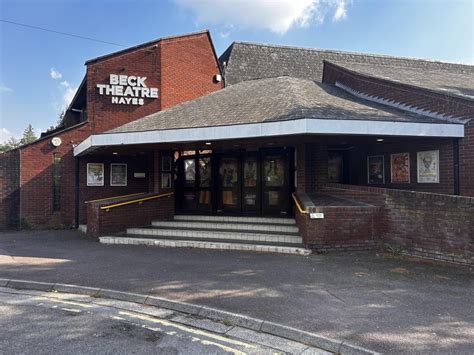
We grew up in Hanwell (we’ve all long left the area). Every year we’d go to the panto at The Beck Theatre (image from https://harrowonline.org/2024/12/17/beck-theatre-in-hayes-saved-but-how-did-we-get-here/)
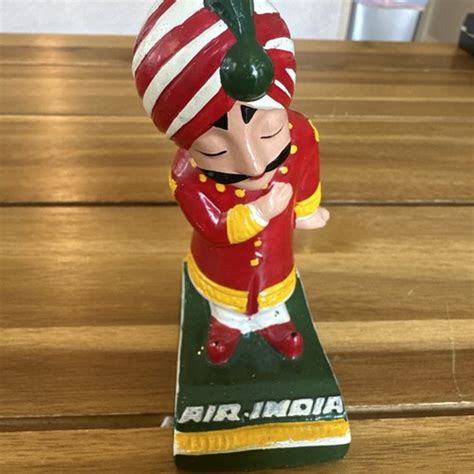
On the drive, we’d drive through Southall Broadway. I was very young then in the early 80s, 8 or 9 and we’d play a game. In the shops on the broadway there was always a little Indian model in certain shops. If you spotted one, you got a point. Roll on 2026 and I thought about this again and couldn’t find any info on it. Couldn’t remember what the model was, just remember it being a small, short model. So I turned to Reddit. Its not all that bad, its useful for asking questions like this (they also helped find the old magic shop that was in Northfields, more on that in another post).
And someone found it or remembered it. It was Air India’s Maharaja mascot. There were of course, larger models that this small one from Ebay as found on this blog post:
https://www.outlooktraveller.com/celebrating-people/air-indias-maharaja-memories-of-a-beloved-mascot
https://www.ebay.com/itm/286680592015
Powershell – Blank AD Profile PATH
<#
.SYNOPSIS
  Clear Home Folder (local path) for each AD user in an OU and export results to CSV.

.PARAMETER SearchBase
  Distinguished Name (DN) of the OU to search.

.PARAMETER WhatIfMode
  If supplied, no changes are actually made.

.PARAMETER CsvPath
  Output path for the CSV file.

#>

param(
    [string]$SearchBase = 'OU=.Users (Role Based),OU=Steven Whiting,DC=whiting-steven,DC=co,DC=uk',
    [switch]$WhatIfMode,
    [string]$CsvPath = ".\HomeFolder_Clear_Report_$(Get-Date -Format yyyyMMdd_HHmmss).csv"
)

# Import AD module
Import-Module ActiveDirectory -ErrorAction Stop

Write-Output "SearchBase: $SearchBase"
if ($WhatIfMode) { Write-Output "WHATIF MODE ENABLED — no changes will be made." }

# Retrieve users
$users = Get-ADUser -Filter * -SearchBase $SearchBase -SearchScope Subtree -Properties homeDirectory,homeDrive,DistinguishedName,SamAccountName

if (-not $users) {
    Write-Output "No users found under the specified OU."
    exit
}

# Results array
$results = @()

foreach ($u in $users) {
    $result = [PSCustomObject]@{
        SamAccountName = $u.SamAccountName
        DistinguishedName = $u.DistinguishedName
        PreviousHomeDirectory = $u.homeDirectory
        PreviousHomeDrive = $u.homeDrive
        Action = ""
    }

    if ($WhatIfMode) {
        $result.Action = "Would Clear"
        $results += $result
        continue
    }

    try {
        Set-ADUser -Identity $u.DistinguishedName -Clear homeDirectory,homeDrive -Confirm:$false -ErrorAction Stop
        $result.Action = "Cleared"
    } catch {
        $result.Action = "Failed: $($_.Exception.Message)"
    }

    $results += $result
}

# Export CSV
$results | Export-Csv -NoTypeInformation -Path $CsvPath

Write-Output "CSV report created: $CsvPath"
Write-Output "Completed."Server 2022 Activate Directory – Exchange bits
For SMTP bits in AD you need the exchange tools. These are for my notes so make sense to me.
Your account needs to be in the enterprise admins and schema admins group.
You need to install the exchange bits so run this command but you also need to mount an exchange ISO. I used Exchange 2019
d:\Setup.exe /IAcceptExchangeServerLicenseTerms_DiagnosticDataON /PrepareAD /OrganizationName:”Contoso Corporation”
We’re not installing or setting up exchange, just need it to put in all the extra exchange stuff in AD for the mailNickname bits
If you don’t need any of the exchange fields you can ignore all this.